Logistics Workflow Automation for Freight Forwarders
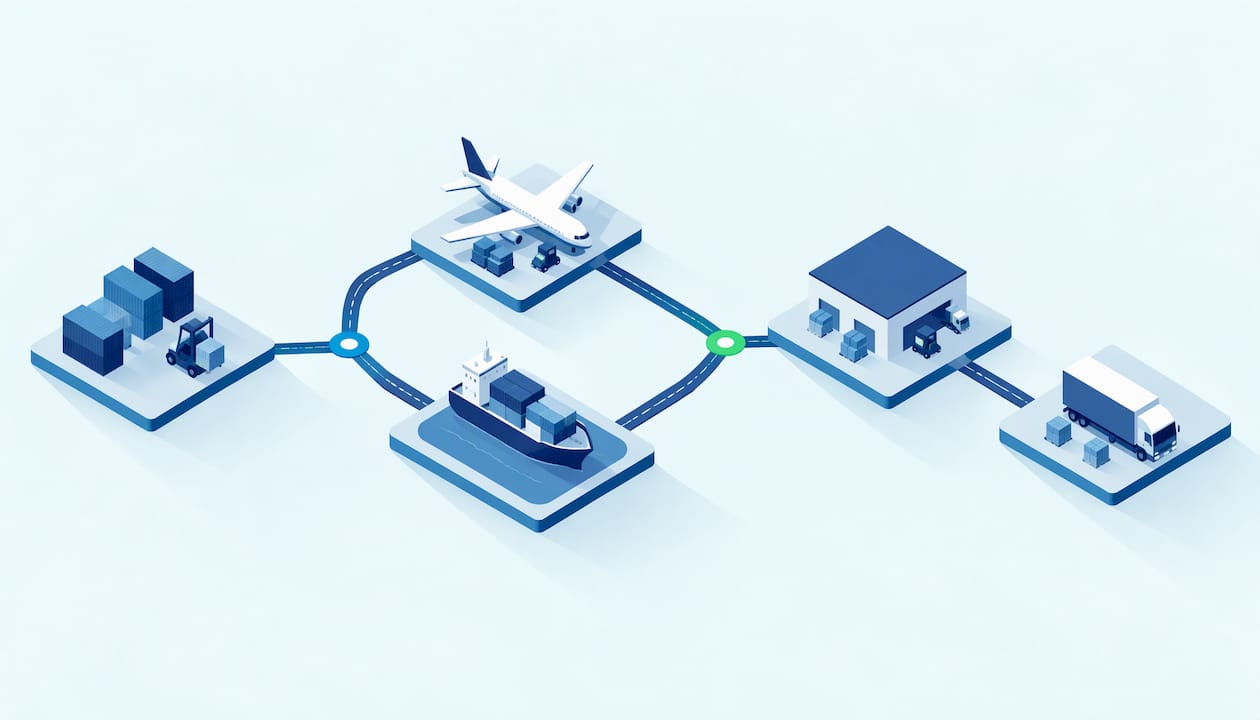
Logistics workflow automation means turning the repeatable steps of a shipment, from quote to final invoice, into rules-driven tasks that move on their own and reach a person only when judgment is needed. For a freight forwarder, the biggest gains come from the workflows that touch the most people and the most data: quoting, documents, customs filing, tracking updates, and billing. The forwarders that win the next few years will be the ones that automate those flows inside their transport management system instead of stitching them together with spreadsheets, inboxes and point tools.
TL;DR
- A logistics workflow is the chain of tasks, owners, deadlines and handoffs that carries a shipment from request to payment. Automating it removes retyping, missed handoffs and silent delays.
- Start with five workflows: quoting, documents, customs filing, shipment tracking, and invoicing and billing.
- Design every automation with an exception path to a named person, plus a task owner, a deadline and an escalation rule, so SLAs are tracked rather than hoped for.
- Measure accuracy, cycle time, visibility and customer impact against a written metric definition, not a gut feeling.
- Choose software where workflows, rates, tracking and finance live in one system. Bolt-ons multiply the handoffs you are trying to remove.
Table of Contents
- What a logistics workflow actually is
- The five workflows worth automating first
- What good automation looks like in practice
- How to map a workflow before you automate it
- Handling exceptions and human review
- Tracking SLAs, task ownership and escalations
- Measuring whether automation is working
- Choosing logistics workflow software
- Where FreightSuite fits
- A practical 90 day path
- FAQ
- Sources
What a logistics workflow actually is
A logistics workflow is a defined sequence of tasks that moves a shipment or a piece of shipment information from one state to the next. A customer asks for a rate. Someone prices it, someone approves it, someone books it, someone collects the documents, someone files with customs, someone watches the vessel or flight, someone tells the customer, and someone invoices. Each of those verbs is a task. Each task has an owner, an input, an output and, ideally, a clock.
Most forwarders already have these workflows. The problem is that they live in people’s heads, in email threads and in the unwritten habits of the senior operator who has been there for twelve years. Automation begins by making the workflow explicit. Once a step is written down as a trigger, a condition and an action, software can run it.
That is also why the term covers so much ground. Workflow automation is not one feature. It is the layer that decides what happens when a booking is confirmed, when a bill of lading draft arrives, when an ETA slips by two days, or when a vendor invoice does not match the quoted cost. The more of those decisions the system can make correctly, the fewer your people spend on chasing.
The five workflows worth automating first
Forwarders that try to automate everything at once usually automate nothing well. The better path is to pick the workflows where volume is high, rules are clear and errors are expensive. In our experience, and consistent with how most forwarders sequence this work, five areas rise to the top.
Quoting
Quoting is where margin is won or lost, and it is also where the most time disappears. Rates sit in carrier spreadsheets, PDFs and emails, and every quote requires someone to find the right lane, add local charges, apply the margin rule and format a response. Automated quoting pulls from a managed rate table, applies your pricing logic and produces a consistent quote that a salesperson can review in minutes. If you want to go deeper, our guides to freight quote management and freight quoting software for US forwarders cover the selection criteria in detail.
Documents
Bills of lading, air waybills, commercial invoices, packing lists and proof of delivery all arrive in different formats from different parties. Automated document management captures them, reads the key fields, attaches them to the right shipment and flags what is missing. The payoff is not only speed. It is that the data is entered once, so the booking, the customs entry and the invoice all agree.
Customs filing
Customs work runs on deadlines that do not move. For US-bound ocean cargo, the Importer Security Filing, often called ISF or 10+2, has to be transmitted before the cargo is loaded at the foreign port, and missing that window can carry financial penalties. A workflow that checks for the required data elements as soon as a booking is created, and escalates to a person when something is missing, turns a recurring fire drill into a routine task. Forwarders with a brokerage arm should look at how customs brokerage workflows can sit in the same system as the shipment itself.
Tracking and customer updates
Tracking is where automation is easiest to see. Milestones from carriers and airlines arrive as events, and the system updates the shipment, compares it with the plan and notifies the right person if something drifts. Done well, customers get proactive updates and your team stops answering “where is my container” emails. We cover this in depth in our guides to shipment status automation and real-time logistics tracking.
Invoicing and billing
Invoicing is the workflow that turns operational work into cash. It is also where small errors compound: a missed accessorial, a stale exchange rate, a vendor bill that never got matched to a shipment. Automating cost capture, invoice recognition, dynamic FX and credit control means the invoice reflects what actually happened, and it goes out sooner. Finance teams in particular benefit when operations data flows straight into billing without re-entry, which is the idea behind our freight management system for finance teams.
What good automation looks like in practice
It helps to see numbers from a real deployment, even outside pure freight forwarding. Intuz reports that QuickShift Logistics, which handles more than 12,000 shipments a month across 8 cities, had 10 custom automations built in four weeks covering order ingestion, invoicing, shipment alerts and returns. The company reports a 77% reduction in manual work and a drop in support tickets from 21% to 6% of volume.
Treat those figures as one company’s reported result, not a promise for your operation. What transfers is the pattern. The automations targeted the repetitive, rule-based steps, the customer-facing updates went out without a human typing them, and the support load fell because customers no longer needed to ask. That is the shape of the win in any logistics business: fewer touches per shipment, and fewer questions from customers.
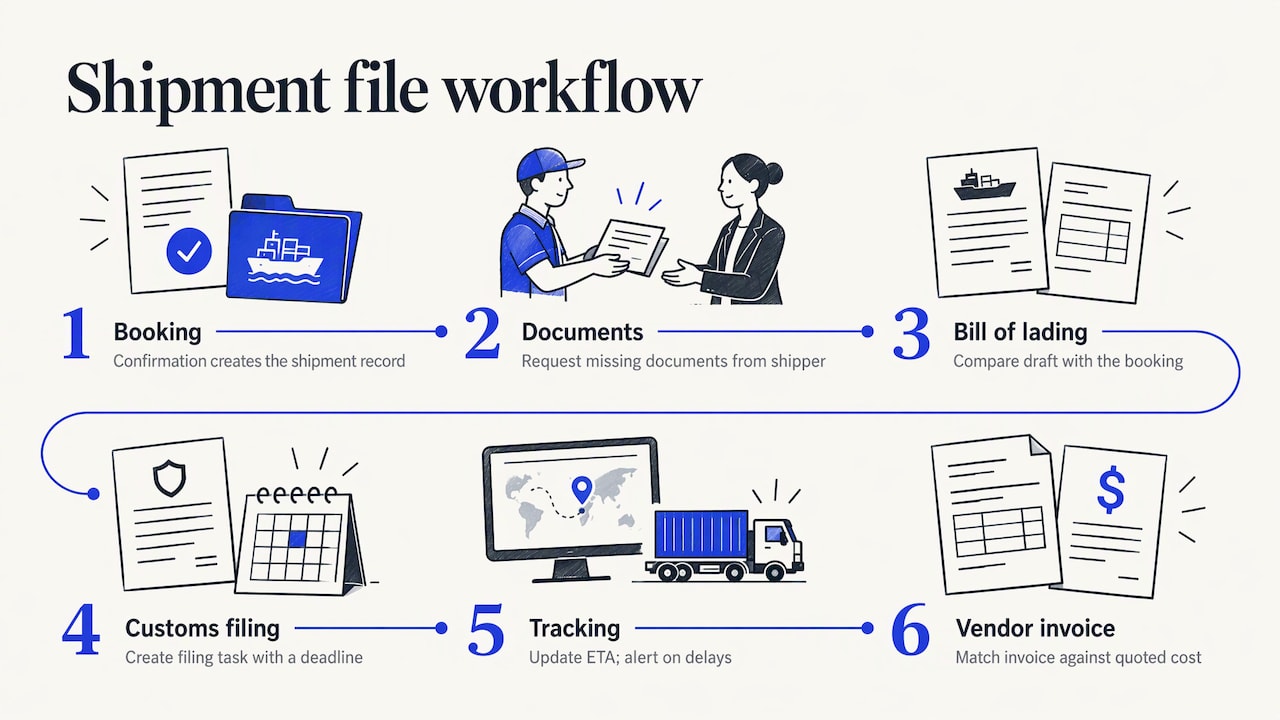
For a forwarder, the same pattern translates into a day in the life of a file. A booking confirmation creates the shipment record. The system requests missing documents from the shipper. When the draft bill of lading arrives, it is read and compared with the booking. The customs filing task is created with a deadline. Tracking events update the ETA, and a delay beyond a set threshold alerts the account owner. When the vendor invoice arrives, it is matched to the shipment and compared with the quoted cost. No one had to remember to do any of it.
How to map a workflow before you automate it
Automating a messy process gives you a faster mess. The mapping step is short, but it decides whether the project works.
Begin with one workflow and write down its trigger, the event that starts it. A confirmed booking, a received document and a milestone update are all good triggers. Then list each task that follows, who does it today, what information it needs and what “done” looks like. Mark the places where people currently make a judgment call, because those are the places that need a rule or a human review step.
Next, walk through three real shipments from the last quarter: one clean, one that went wrong and one that was unusual. The clean one shows the happy path. The troubled one shows where the process breaks. The unusual one shows the variations you will have to handle. Most forwarders discover that the happy path covers a large majority of files and that the exceptions cluster around a handful of causes: missing data, rate disputes, schedule changes and document discrepancies.
Finally, decide what the system does automatically, what it does and then asks a person to confirm, and what it only flags. That three-way split, act, confirm, flag, is the most useful design decision in the whole project, and it leads directly to exceptions.
Handling exceptions and human review
Rigid automation fails quietly. A script that expects a clean rate request and receives an ambiguous one does not announce its confusion. It guesses, or it drops the request, and you learn about it when a customer complains. The better design routes anything ambiguous to a person, as Haulier.AI argues for quote workflows, so that automation handles the routine and humans handle the unclear.
In practice that means every workflow needs a defined exception path. When the system cannot read a field with confidence, when a cost exceeds the quoted amount by more than a set tolerance, or when a milestone is missing past its expected time, it creates a task for a named person with the context attached. The person resolves it, and the workflow resumes. This is the thinking behind our guide to freight exception management.
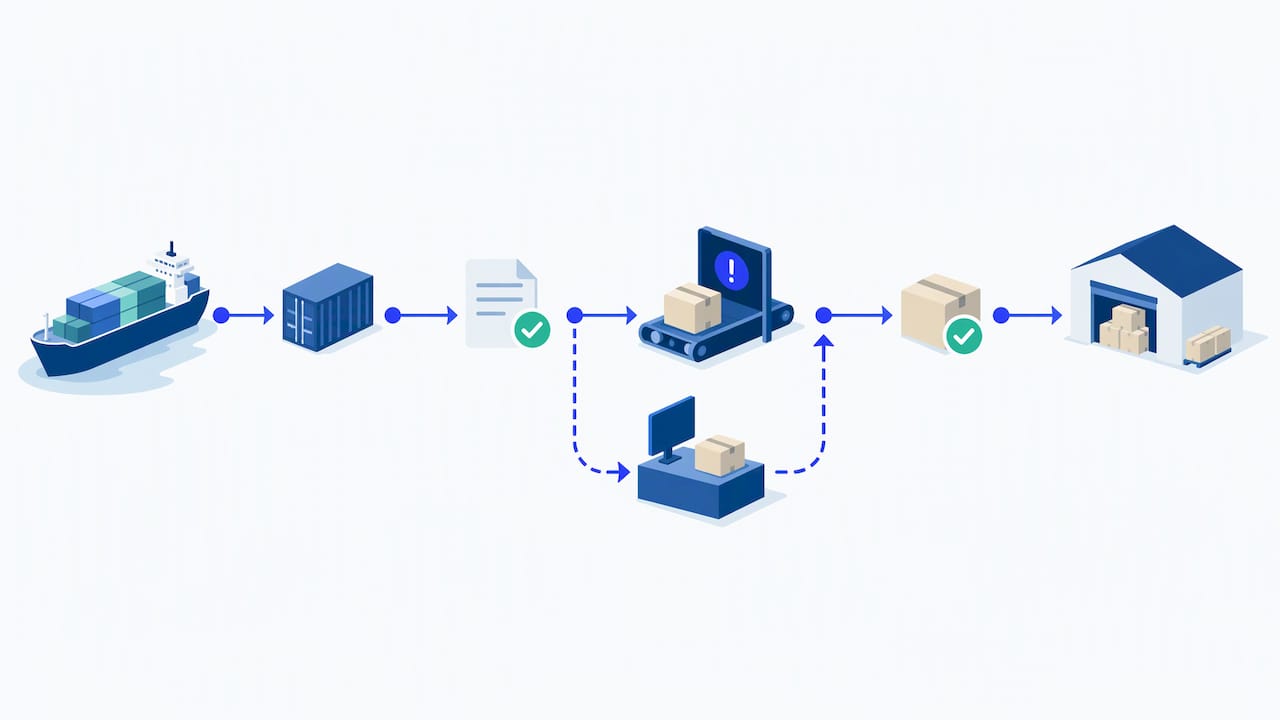
This is also where agentic AI changes the picture. Traditional rules handle the cases you anticipated. AI agents can read an unstructured email, work out which shipment it concerns, draft a response or propose the next action, and hand it to a person for approval. The human is still in control, but the first draft of the work is done. That is the difference between automation that replaces keystrokes and automation that takes on coordination.
Tracking SLAs, task ownership and escalations
A workflow without owners and clocks is only a diagram. To track service levels, every task needs four attributes: who owns it, when it is due, what happens if it is late and who is told. When those four are captured in the system, SLA tracking stops being a monthly spreadsheet exercise and becomes a live view.
It also helps to separate three layers that are often blurred together. Shipit describes a three-layer stack for freight forwarding agreements: a statement of work for scope, a service-level agreement for measurable performance targets and standard operating procedures for the step-by-step playbook. Applied inside a TMS, the SLA becomes the timer, the SOP becomes the workflow and the scope tells you which shipments the rules apply to.
Typical forwarding SLAs are easy to express as clocks. Time from quote request to quote sent. Time from booking to document request. Time from document receipt to customs filing. Time from milestone event to customer notification. Time from delivery to invoice. Each can be measured automatically when the system timestamps every task, and each can trigger an escalation, first to the task owner, then to a team lead, then to the account manager, if it passes a threshold.
Assign ownership to people or queues, never to “the team.” A task owned by everyone is owned by no one. Operations leaders can see how this looks in a system built around their daily work in our freight forwarding ERP for operations teams.
Measuring whether automation is working
Automation that you cannot measure becomes an article of faith. Four families of measures are worth tracking.
Accuracy: how often documents, rates and invoices are right the first time, and how many corrections are needed downstream. Efficiency: touches per shipment, hours per file and the number of files each person can handle. Visibility: how quickly you learn about a milestone or a problem, and how many shipments have a current status. Service impact: on-time quote response, on-time notification, customer inquiries per shipment and days to invoice.
Define each metric before you report it. One logistics analytics team recommends that every metric carry a written contract covering its evidence, scope, exclusions, correction rules and calculation. That sounds bureaucratic until two managers present two different on-time figures to the same customer. Decide whether the clock stops at the carrier’s event or the customer’s receipt, which shipments are excluded and how late-arriving data corrects the history.
Take a baseline before you switch anything on. Even a rough count of touches and turnaround times across fifty recent files gives you something to compare against in ninety days. Without a baseline, every improvement is an anecdote.
Choosing logistics workflow software
Most forwarders end up evaluating workflow software in one of three forms: a general automation tool, a point solution for one function or a TMS with workflows built in. The right choice depends on how many of your processes need to share data.
Criteria that matter most for a forwarder are these. First, does the system own the shipment record, so that workflows act on live operational data rather than copies? Second, can you configure workflows, tasks, owners, deadlines and escalations without a developer? Third, are rates, tracking, documents and finance native, or do they come from add-ons that need their own integrations? Fourth, does it connect to the accounting software you already run? Fifth, how does it handle exceptions and human approval, and can AI agents be orchestrated within the same rules? Sixth, can you report on SLAs and task performance from the same data without exporting it?
The integration question deserves extra weight. Every tool you bolt on creates a new handoff, a new login and a new place where data can go stale. A broader view of how to weigh these tradeoffs is in our guide on how to choose freight forwarding automation software.
Also ask how long a realistic rollout takes and who configures it. A system that needs months of consultant time before the first workflow runs will not produce the quick win your team needs to keep momentum.
Where FreightSuite fits
FreightSuite is an agentic TMS built for freight forwarders and logistics companies that want an alternative to legacy platforms. Rate management, air and ocean tracking, finances, operations, workflows and AI agent orchestration are built natively into the system, and core features are included out of the box without add-ons. Our aim is to help forwarders run faster, remove admin work and improve profitability.
For teams working by mode, we have dedicated pages on ocean freight TMS and automation, air freight management and road freight transport management. If you want to see how your own quoting, documents, tracking and billing workflows would run in one place, you can explore FreightSuite and request a demo.
A practical 90 day path
The forwarders who get value fastest keep the first phase narrow. In the first month, map and baseline one workflow, usually quoting or document capture, and agree the SLA clocks you want to track. In the second month, switch on the automation with exception routing and have the team work from the task queue instead of email. In the third month, review the metrics against the baseline, tune the exception rules and add the next workflow, often tracking notifications or invoice matching.
Keep a short list of what people still do by hand and why. Some of it will be genuine judgment. Some will be habit, and that is your next automation backlog. The window to build this advantage is real, and it has a timeline: customers are coming to expect proactive updates and fast quotes, and the forwarders who deliver them with a smaller team will carry the margin. The choice is yours to make, and it is easier to make while your workflows are still small enough to map in an afternoon.
FAQ
What is a logistics workflow?
A logistics workflow is the ordered set of tasks, owners and deadlines that moves a shipment from request to payment. It includes quoting, booking, documents, customs, tracking and billing. Writing it down is the first step to automating it.
What are examples of logistics workflow automation?
Common examples include generating quotes from a managed rate table, capturing data from bills of lading and invoices, creating customs filing tasks when a booking is confirmed, sending shipment status notifications and matching vendor invoices to shipment costs. Each replaces a manual, repetitive step with a rule or an AI agent.
How do you track SLAs in a logistics workflow?
Give every task an owner, a due time, a late rule and an escalation contact, then let the system timestamp each step. Measure clocks such as quote response time, document turnaround and time to invoice. Breaches then trigger alerts instead of surfacing in a monthly report.
Should every exception go to a person?
Not every one, but anything ambiguous or outside a set tolerance should. Routine variations can be resolved by rules, while unclear requests, cost overruns and missing milestones should create a task for a named person with context attached.
What should I look for in logistics workflow software?
Look for a system that owns the shipment record, lets you configure tasks, owners and escalations without developers and includes rates, tracking, documents and finance natively. Check accounting integrations and reporting on SLA performance too.

