Freight Forwarding Automation Software: How to Choose
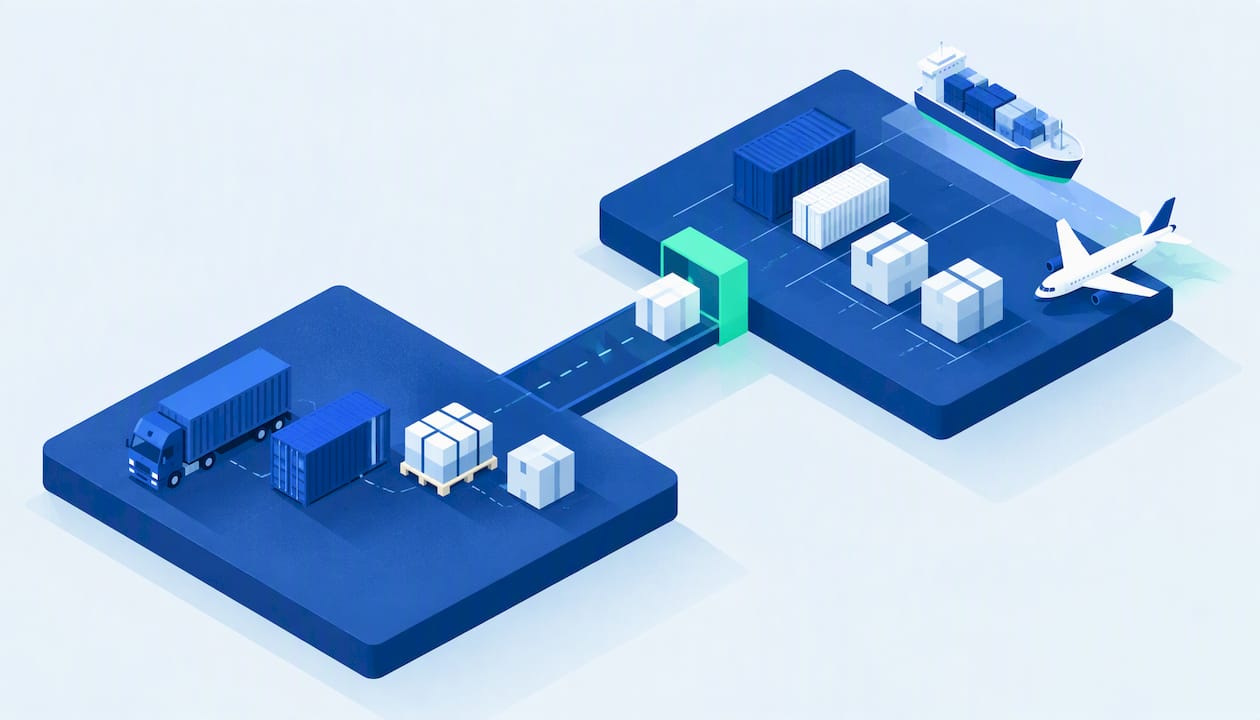
Freight forwarding automation software removes the re-keying that fills a forwarder’s day: reading emails, extracting data from bills of lading and invoices, updating shipments, and pushing figures into billing. The best platforms do this inside the system of record, not as a bolt-on. For a US forwarder, the decision comes down to four questions: how deep the automation goes, how well it handles unstructured documents, how much it costs to implement, and whether it fits your volume. Below, we compare the main options and show where FreightSuite fits.
TL;DR
- Automation pays off first on email intake, document extraction and shipment status updates, because that is where most manual data entry sits.
- Legacy forwarding systems cover operations well but often treat automation as an add-on. An agentic TMS builds it into rate management, tracking, finance and workflows.
- Pricing for most forwarding platforms is quote-based, so compare modules, users, implementation and data migration, not a headline number.
- Keep people on exceptions: unusual shipments, disputed charges and customs judgment calls still need an experienced operator.
- FreightSuite is built for forwarders who want core features included out of the box, with AI agent orchestration native to the TMS.
Table of Contents
- What freight forwarding automation software actually automates
- How email and document automation handle unstructured data
- Why the cost of manual entry compounds
- Freight forwarding automation software compared
- How FreightSuite approaches automation
- What to check before you choose
- A phased way to roll out automation
- See it on your own workflows
- FAQ
- Sources
What freight forwarding automation software actually automates
The category is narrower than the name suggests. Purpose-built forwarding software handles the workflows and paperwork specific to forwarders, which generic TMS, WMS or ERP logistics modules typically do not. Forwarding platforms coordinate international shipments, including ocean booking, customs-document generation, duty calculation, NVOCC compliance and multi-currency billing, while general TMS products lean toward domestic trucking.
Automation sits on top of that foundation. In practice it covers six jobs:
Inbound communication. Quote requests, booking confirmations, carrier notices and customer questions arrive by email. Automation classifies each message, links it to the right shipment and drafts or sends a reply using shipment context.
Document capture. Bills of lading, commercial invoices, packing lists and supplier invoices arrive as PDFs, scans and photos. Software reads them, maps the fields and writes them into the job.
Rate management. Carrier rates arrive in spreadsheets, PDFs and portals. Automation normalizes them so quoting does not start with a copy and paste.
Tracking and status. Air and ocean milestones update the shipment on their own, and customers get notified without a coordinator checking portals.
Finance. Costs and revenue post to the job, foreign exchange is applied at the right rate, supplier invoices are matched to expected charges, and accounting software stays in sync.
Workflow. Tasks, approvals and alerts fire when conditions are met, so a missed cutoff or an unpaid invoice surfaces before it becomes a loss.
The common thread is that every one of these replaces a person moving data between an inbox, a carrier portal and the TMS. Freight operations still rely on people to move data between TMS software, carrier portals and supplier documents, and that is the work automation targets first.
How email and document automation handle unstructured data
Most of a forwarder’s operational data is unstructured. It lives in email bodies, attachments and PDFs that no two shippers format the same way. Searches such as freight forwarding data automation or unstructured data in freight forwarding all point at the same problem: getting that material into structured fields without a human typing it.
The pipeline usually runs in five steps.
- Ingest. The platform watches shared mailboxes and receives attachments.
- Classify. It decides whether a file is a bill of lading, an invoice, an arrival notice or a customs document, and what the message is asking for.
- Extract. AI reads the document and identifies fields such as shipper, consignee, container numbers, weights, charges and references. Current AI can read bills of lading, supplier invoices and customs documents, map their fields and inject the data into operational systems.
- Validate. Extracted values are checked against the shipment, the booking and expected charges. Mismatches go to a person instead of posting silently.
- Act. The system updates the job, triggers a notification or drafts a reply.
Email automation follows the same logic. One forwarder’s approach, described by Freightos, is a system that reads emails, ingests documents, updates its platform and sends notifications. The same discussion recommends email parsing tied to a TMS, document classification and templated replies built from shipment context. The lesson is that parsing alone is not enough. An extracted value is only useful when it lands in the shipment record, which is why automation inside the TMS beats a separate tool that exports to it.
For teams just starting, the advice from the same source is to begin with simple, high-impact wins such as PDF extraction and automatic data merging, then widen the scope. We agree, and we would add one rule: pick the document type that costs you the most hours each week and prove it before you expand.
Where people still matter
Automation does not remove judgment, and good platforms are designed around that. Plan for human review on:
- Documents with low extraction confidence, such as poor scans or handwritten amendments.
- Charges that do not match the quote or the carrier’s tariff.
- Customs classification questions and unusual commodities.
- Customer exceptions, such as a rolled container or a claim.
The goal is the one KLog’s Janan Knust describes: systematize the predictable so the team spends its time on the exceptions that actually create customer value. That is also how forwarders scale throughput without scaling headcount at the same rate.
Why the cost of manual entry compounds
Every re-keyed field is a chance for an error, and an error in a forwarding file travels. A wrong container number delays tracking. A wrong weight corrupts a quote. A missed supplier charge turns a profitable job into a break-even one, and nobody sees it until the job is closed. Multiply by hundreds of files a month and the real cost is not only the hours. It is the margin leakage, the slow customer response and the senior people stuck doing clerical work.
The same problem shows up outside software. Physical labels, barcodes and shipping marks are part of how data moves between systems, and a mismatch between a printed label and the digital record creates exactly the kind of rework automation is meant to avoid. If you are tightening how information moves across your operation, reducing manual data transfer between shipment systems starts with consistent labeling as much as with software.
The ground is shifting here. Customers now expect status updates without asking, and forwarders that still answer them by hand are competing against teams that do not. The window to build that advantage is real, and it has a timeline.
Freight forwarding automation software compared
The table compares the platforms US forwarders most often shortlist. It reflects publicly described positioning and typical buying patterns, not a feature-by-feature audit. Confirm details with each vendor in a demo.
| Platform | Best fit | Automation approach | Pricing model |
|---|---|---|---|
| FreightSuite | Forwarders and logistics companies wanting an agentic TMS | AI agent orchestration, document management, invoice recognition and workflows built natively into the TMS | Contact for a quote |
| CargoWise | Large, global forwarders | Broad forwarding suite from WiseTech Global with a large module set | Quote-based |
| Magaya | Small to mid-size forwarders, 3PLs, NVOCCs and customs brokers | Forwarding and warehouse modules in one system | Sold by quote, depending on modules, users and volume |
| Descartes | Forwarders and brokers focused on customs and compliance | Customs filing and network-based connectivity | Quote-based |
| GoFreight | Forwarders wanting a cloud platform | Cloud-based forwarding software covering operations, tracking, customer portals, quoting, billing and accounting | Quote-based |
| Logixboard | Forwarders prioritizing customer visibility | Customer-facing portal and shipment visibility | Quote-based |
Two patterns stand out when you read across these options.
First, scale shapes the choice. A very large multinational forwarder has different needs from a 15-person team in Houston or Miami. A platform that suits one often burdens the other with implementation time, configuration and cost.
Second, “automation” means different things. In some systems it is a set of rules and templates you configure. In others it is an AI layer that reads and acts. In an agentic TMS, software agents carry out multi-step tasks, such as reading an arrival notice, checking it against the job, updating the customer and flagging a discrepancy, under rules you set. That is a different level of automation, and it is where we have focused.
Point tools versus a platform
Some vendors sell AI agents that sit alongside your existing system. Vooma, for example, builds AI agents for freight and logistics companies to automate quoting, load building, scheduling and tracking. Point tools can deliver quick wins, and they make sense when your core system is staying put. The trade-off is that every extra tool is another integration, another login and another place where data can fall out of sync.
A platform with automation native to the TMS avoids that handoff. Extracted data lands in the job, the job drives finance, and finance drives credit control, without an export in between. That is the argument behind our approach, and it is one we cover in more detail in our guide to freight forwarding TMS fundamentals.
How FreightSuite approaches automation
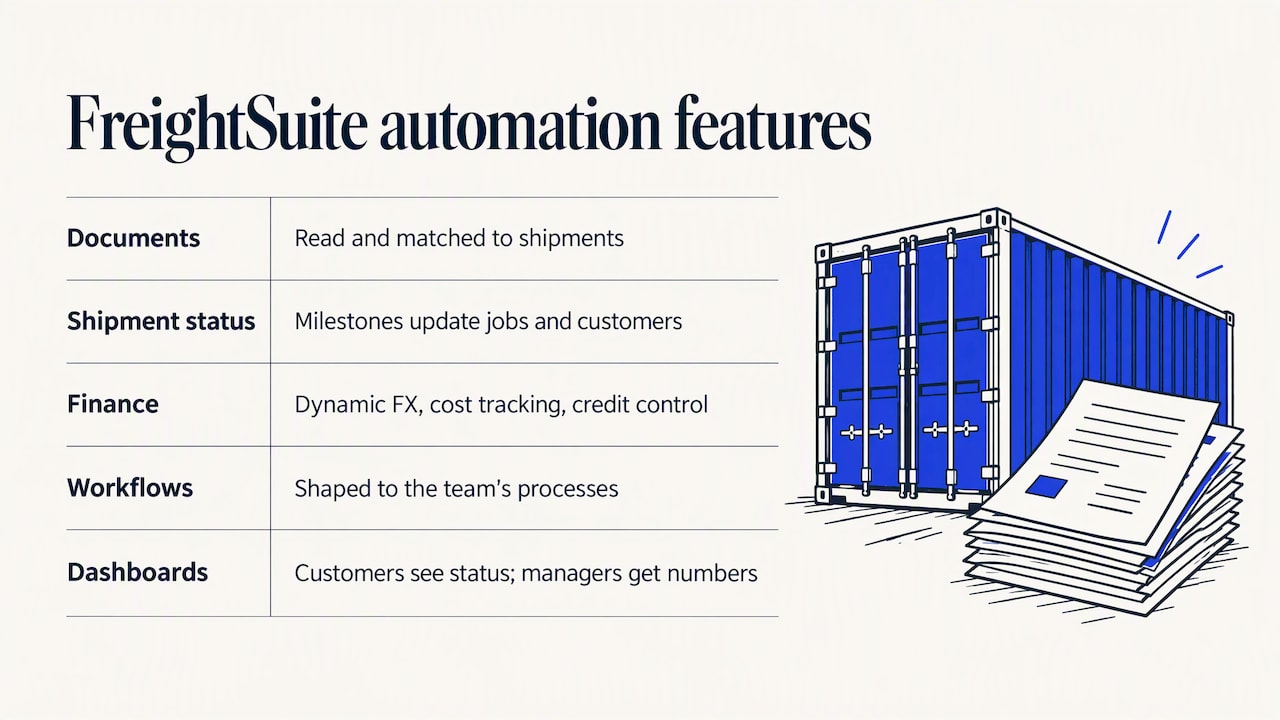
FreightSuite is an agentic TMS built as an alternative to legacy systems such as CargoWise, Magaya, Descartes, Multifreight, Logi-Sys and Logitude. Our design principle is that the automation is part of the product, not a separate purchase. Rate management, air and ocean tracking, finance, operations, workflows and AI agent orchestration are built natively into the TMS, and all core features are included out of the box without add-ons.
In day-to-day terms, that is designed to give a forwarding team:
Automated document management and invoice recognition. Documents and supplier invoices are read and matched to the shipment so coordinators review instead of retype. For forwarders who worry about disruption, our piece on logistics document automation without ripping and replacing explains how to layer this onto existing processes.
Shipment status automation. Tracking milestones feed the job and customer updates, which is the subject of our shipment status automation guide. For ocean specifically, see how ocean freight TMS and automation works across booking, tracking and documents.
Finance built into operations. Dynamic FX and cost tracking, credit control and integrated accounting connections keep money in step with the shipment. If multi-currency work is where your team loses the most time, start with our practical guide to multi-currency billing.
Workflow customization. Forwarders differ, so workflows can be shaped to how your team actually works rather than the other way around.
Customer dashboards and reporting. Customers see status without calling, and managers get operational numbers without assembling spreadsheets, as covered in our guide to freight operations reporting automation.
We do not publish pricing, so we will not quote a figure here. What we can say is that you can see the product against your own workflows in a demo.
What to check before you choose
The research on software pricing is consistent in one respect: most forwarding platforms sell by quote, and the final number depends on what you license and how you use it. Use this checklist to make quotes comparable.
Which modules are included. Ask whether document extraction, tracking, accounting integration and customer portals are in the base price or separate line items. A low entry quote that excludes the automation you wanted is not low.
How users and volume are counted. Per-user, per-shipment and per-transaction models behave differently as you grow. Model your numbers for this year and for double your current volume.
Implementation and migration. Ask how long go-live takes, who maps your data, what historical data comes across and what your team must do. Implementation effort is often the hidden cost in forwarding software.
Accuracy on your documents. Send your own messy PDFs, not the vendor’s samples. Ask what happens when confidence is low and how corrections feed back.
Accounting and carrier connections. Confirm integration with the accounting package you use and the carriers and tracking sources you depend on.
US compliance fit. If you file customs entries, handle NVOCC obligations or run as a licensed broker, confirm how the system supports those workflows and who is responsible for filing. Verify requirements with the relevant US agency or your licensed customs broker rather than relying on a vendor’s summary.
Exit terms. Check data ownership, export formats and contract length before you sign.
When you compare quotes, our mapping of freight forwarding software definitions by module helps you check that the vendors mean the same thing by TMS, ERP and automation.
A phased way to roll out automation
Forwarders that succeed rarely switch everything at once. A measured sequence works better:
- Pick one high-volume document or email type. Measure how many hours it consumes today.
- Run it in parallel for a short period. Let staff compare automated output against their own and tune the rules.
- Set review thresholds. Anything below your confidence threshold or outside expected values routes to a person.
- Extend to status updates and customer communication. These are predictable and visible to customers.
- Bring in finance. Match supplier invoices and post costs automatically once the operational data is clean.
- Measure again. Track shipments handled per person, time to invoice and error rates.
The measure that matters to leadership is throughput: how many more shipments the same team can handle at the same or better quality. We explore that in scaling throughput without adding headcount.
See it on your own workflows
If your team is still re-keying bookings, invoices and status updates, the fastest way to judge a platform is to run your own documents through it. Book a FreightSuite demo to see agentic automation across rates, tracking, documents and finance in one TMS. Teams with a specific mode in mind can go straight to our air freight, road freight or customs brokerage pages.
FAQ
What is freight forwarding automation software?
It is software that automates the repetitive work of moving freight: reading emails and documents, updating shipments, tracking milestones, matching invoices and notifying customers. It works best when it is built into the TMS, so extracted data lands directly in the shipment and its finances.
Can software really read bills of lading and invoices accurately?
Modern AI can read bills of lading, supplier invoices and customs documents and map their fields into operational systems. Accuracy depends on document quality and on validation rules, so good platforms route low-confidence results to a person. Test any vendor with your own documents before you commit.
What should I automate first?
Start with the task that costs your team the most hours and follows a predictable pattern. For many forwarders that is PDF extraction, email intake or shipment status updates. Prove one workflow, then expand.
How much does freight forwarding automation software cost?
Most platforms sell by quote, and price depends on modules, users, volume and implementation. Ask each vendor what is included in the base price and what is an add-on. FreightSuite does not publish a price, so request a demo and quote for your operation.
Will automation replace my operations team?
No. It removes clerical re-keying so your team can handle exceptions, customer relationships and growth. The aim is more shipments per person, not fewer people doing the same work.
Sources
- Freight Forwarding and Logistics Software: Top Platforms
- Freight Forwarding Software: Automate End-To-End Shipment
- SMB Freight Forwarding for the Digital Age, Freightos
- From Inbox to Impact: 5 Freight Workflows AI Has Quietly Changed, Freightos
- Janan Knust on Systematizing the Predictable, Freightos
- Magaya software review
- 6 best freight management software for 2026, Guideflow
- Freight Forwarding Software Companies, Featured Customers
- The Role of Labels in Logistics: A Manager’s Guide

