Cloud TMS vs On Premise: 4 Factors Logistics Teams Should Weigh

Most logistics operations fit better with a cloud TMS than an on-premise system, because lower upfront cost, faster deployment, and vendor-managed updates outweigh the control that on-premise ownership offers. The exceptions are large, heavily regulated carriers or forwarders running highly customized legacy workflows that cannot migrate easily. Before choosing, weigh four factors: total cost of ownership, implementation timeline, security responsibility, and the internal IT burden you are prepared to carry.
TL;DR:
- Cloud deployments typically reach go live in weeks to a few months, while locally hosted discovery and configuration can take two to four months.
- Compare costs over three to five years, including subscriptions or licenses, migration, integrations, training, and IT staffing, because upfront prices omit hardware refreshes.
- Cloud vendors secure infrastructure, but your team still manages identity, access, audit logging, and configuration; contracts should specify encryption, certifications, incident timelines, and backup frequency.
- Inventory every carrier, customs, and accounting connection, clean records before import, then pilot selected lanes and run parallel operations through a full billing cycle.
Table of Contents
- What on-premise TMS means and when it fits
- What cloud TMS means and when it fits
- Key differences at a glance: cost, deployment, scalability, and IT burden
- Cost and total cost of ownership: what to budget and how to compare
- Implementation and timeline: realistic go-live phases
- Security, compliance, and the shared responsibility model
- Practical migration checklist and common failure causes
- How FreightSuite helps: cloud-native TMS built for faster go-live
- FAQ
- Sources
What on-premise TMS means and when it fits
An on-premise TMS runs on servers your company owns or leases, inside your own data center or a colocation facility you manage directly. You control the hardware, the database, the network, and every patch cycle, which means your IT team owns uptime, backups, and disaster recovery testing from day one.
That ownership model still makes sense for a narrower set of operations:
- Freight forwarders with strict data sovereignty rules that require data to stay on infrastructure they physically control
- Large, stable operations with volumes predictable enough that custom-built workflows outperform standardized cloud modules
- Businesses with extreme customization needs that a multi-tenant platform cannot accommodate
Implementation for on-premise deployments typically runs longer than cloud rollouts, often stretching into many months once hardware procurement, custom development, and extended testing cycles are factored in. Hidden costs tend to hide in server refresh cycles, redundant hardware for failover, and the staffing needed to keep patches current.
What cloud TMS means and when it fits
A cloud or SaaS TMS runs on infrastructure the vendor manages, typically in a multi-tenant environment where many customers share the same application instance while their data stays logically separated. NIST’s cloud computing definitions distinguish this from infrastructure-as-a-service models, where the vendor manages only the underlying compute and storage layer and the buyer still manages the application itself. Most commercial TMS platforms sold as “cloud” are SaaS: the vendor handles the application, the database, and the infrastructure beneath it.
That shift in responsibility changes who does the work:
- The vendor manages updates, patching, redundancy, and disaster recovery, removing that burden from your internal team
- Multi-site operators get a single platform accessible from any location without replicating infrastructure at each branch
- Small and mid-sized forwarders gain enterprise-grade features without hiring dedicated infrastructure staff
- Scaling up or down happens through subscription tiers rather than new hardware purchases
Cloud TMS platforms generally go live faster than on-premise builds, and pricing is usually structured as a recurring subscription, sometimes layered with per-shipment or per-user components rather than a large upfront license fee.
Key differences at a glance: cost, deployment, scalability, and IT burden
Mapping your situation against these five axes clarifies which model actually fits your operation:
- Cost structure: On-premise requires a large upfront license and hardware investment; cloud-native TMS spreads cost through predictable subscription billing with far lower capital outlay at the start.
- Deployment time: Cloud platforms typically reach go-live in weeks to a few months, while enterprise on-premise platforms often take considerably longer due to hardware procurement and custom build work.
- Scalability and elasticity: Cloud platforms scale by adjusting subscription tiers or user counts; on-premise scaling requires buying and provisioning additional hardware.
- Customization and integration effort: On-premise systems allow deep custom builds but at higher engineering cost; cloud-native platforms favor configurable workflows and prebuilt carrier, ERP, and WMS connectors that speed up integration.
- Security and compliance responsibility: On-premise puts the full security burden on your team; cloud arrangements split responsibility between vendor and buyer under a shared model.
- Internal IT burden: On-premise demands dedicated staff for patching, backups, and hardware refresh cycles; cloud shifts most of that workload to the vendor, leaving your team focused on configuration and data governance.
For day-to-day operations, the integration question matters most: cloud-native platforms with prebuilt ocean freight capabilities and carrier API connections typically onboard faster than custom point-to-point integrations built for an on-premise system.
Cost and total cost of ownership: what to budget and how to compare
On-premise pricing concentrates cost at the start: software licenses, servers, network equipment, and the staff hours to configure them all land before go-live. Cloud pricing spreads that cost over time through subscription fees, which reduces upfront capital requirements and often accelerates the point at which the system delivers value.
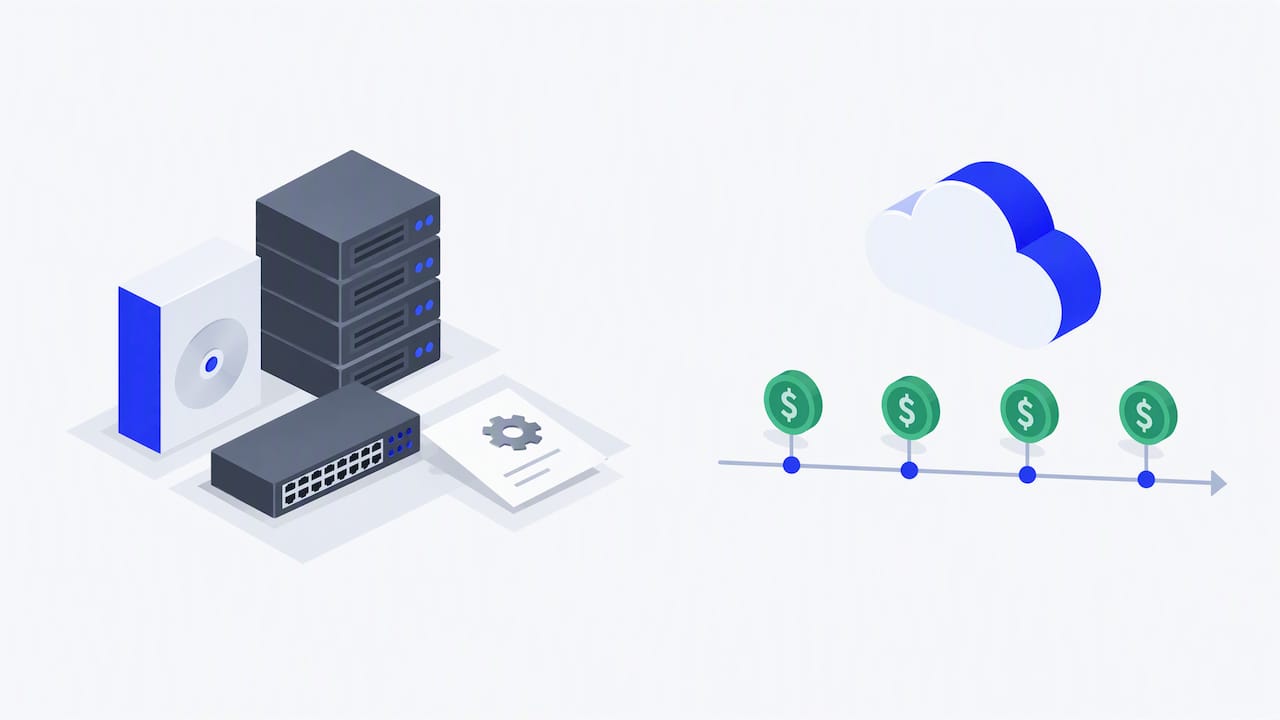
Pro Tip: Build your total cost of ownership comparison over three to five years, not just year one, since on-premise costs often spike again at hardware refresh time while cloud subscription costs stay level.
Hidden costs show up in the same places regardless of deployment model:
- Data migration from legacy systems, especially when historical records need cleansing before import
- Integration work for carrier APIs, customs systems, and accounting software connections
- Training time for staff adjusting to new workflows, which extends longer when legacy processes get forced into the new platform
A realistic three to five year comparison should include license or subscription fees, integration and migration labor, training hours, and the IT staffing time each model demands over the full period, not just the signing cost.
Implementation and timeline: realistic go-live phases
Deployment speed is one of the clearest differences between the two models, and it shapes how fast you see a return.
- Discovery and configuration (cloud: two to four weeks; on-premise: often two to four months once hardware and custom specifications are finalized).
- Data migration and integration, covering carrier APIs, ERP fields, and historical shipment records.
- Pilot testing on a limited set of lanes to validate workflows before full rollout.
- Parallel run, operating the new system alongside the legacy platform to catch discrepancies.
- Staged cutover, migrating remaining lanes and users in waves rather than all at once.
Cloud TMS platforms generally complete this cycle in weeks to a few months, since the vendor handles infrastructure setup. On-premise projects lengthen considerably because hardware provisioning, custom development, and extended testing cycles stack on top of the same migration steps.
Pro Tip: Run your parallel period long enough to capture a full billing cycle, since invoice discrepancies often only surface when monthly reconciliation happens.
Security, compliance, and the shared responsibility model
Cloud security works differently from on-premise security because responsibility splits between vendor and buyer rather than resting entirely on your team. NIST’s trusted cloud practice guide frames this as a shared responsibility model, where the vendor secures the underlying infrastructure and the buyer still controls identity, access, and configuration choices on top of it.
For logistics and customs data specifically, data residency and audit logging matter because shipment records often cross regulatory boundaries. When evaluating a cloud TMS vendor, the same NIST guidance recommends requiring specific contractual protections:
- Encryption at rest and in transit, specified explicitly in the service agreement
- Third-party attestations such as SOC 2 Type II or ISO 27001 certifications
- Defined incident response timelines and backup frequency commitments
Your team still owns several controls regardless of deployment model: identity and access management, audit logging, network segmentation, and ongoing configuration monitoring. No vendor agreement removes those responsibilities from your side of the line.
Practical migration checklist and common failure causes
Migration failures rarely come from the software itself. They come from underestimating integration scope or trying to force legacy manual processes into a platform built for different workflows.
- Inventory every integration before migration starts, including every carrier API, customs system, and accounting software connection currently in use.
- Clean your data before import rather than after, since migrated errors compound once live.
- Pilot a small set of lanes first, then run carriers in staged waves rather than converting the entire network at once.
- Track adoption metrics post-launch: on-time performance, invoice discrepancy rates, and how quickly staff stop reverting to old workarounds.
Pro Tip: Treat the pilot phase as a test of your own workflows, not just the software, since most delays trace back to processes nobody questioned before migration began.
Forwarders researching how AI agent orchestration handles freight tasks often find that the biggest adoption barrier is cultural, not technical: teams accustomed to manual exception handling need structured onboarding to trust automated workflows. For broader visibility practices during this transition, Worldwide Express covers practical approaches to supply chain tracking that complement a cloud migration plan.
How FreightSuite helps: cloud-native TMS built for faster go-live
We built our TMS as a cloud-native platform with automation and AI agent orchestration included from day one, not sold as separate add-ons. For forwarders weighing cloud against on-premise, that structure can mean faster go-live, lower internal IT burden, and rate management, tracking, and financial workflows that work together instead of requiring separate integration projects.

Whether you handle ocean, air, road, or customs brokerage work, these capabilities connect directly into the same platform rather than bolting on modules after the fact. If cloud deployment fits the profile we described above, book a demo of FreightSuite and see how the platform maps to your current carrier and ERP connections.
FAQ
Which is better, cloud or on-premise TMS?
Cloud TMS fits most logistics operations better because of lower upfront cost, faster deployment, and vendor-managed maintenance. On-premise remains the better fit for a smaller set of operations with strict data sovereignty needs or highly customized, stable workflows that a shared platform cannot accommodate.
Is cloud actually cheaper than on-premise?
Cloud deployment typically requires far less upfront capital since there is no large license or hardware purchase at the start. Total cost over several years depends on subscription fees, integration work, and internal staffing needs for each model, so building a multi-year comparison matters more than comparing year-one price tags alone.
Can SaaS be deployed on-premise?
Traditional SaaS runs on vendor-managed, multi-tenant cloud infrastructure, which is part of what distinguishes it from on-premise software. Some vendors offer private cloud or hybrid variants that resemble SaaS functionality while running on dedicated infrastructure, but that differs from standard multi-tenant SaaS delivery.
What are the main types of cloud service models?
The three main cloud service models are software-as-a-service, where the vendor manages the application and infrastructure; platform-as-a-service, where the vendor manages infrastructure and a development platform; and infrastructure-as-a-service, where the vendor manages only the underlying compute and storage. NIST’s cloud computing framework defines these models alongside deployment types such as public, private, community, and hybrid cloud.

