Fix Freight Master Data: 5 Steps for TMS Charge Calculation & EDI/API
Freight master data is the canonical set of transport, rate, location, carrier, and commodity records that lets your TMS compute accurate costs, route shipments, and automate billing. Get these records right and invoices match quotes, shipments route themselves, and your team stops firefighting exceptions. Both FreightSuite and SAP treat this data as the operational foundation, not an afterthought.
TL;DR:
- Freight master data must be accurate and current to prevent shipment delays, customs issues, and billing disputes caused by incorrect codes or certifications.
- Rate tables, freight agreements, and scales depend on each other’s validity dates and organizational scope; overlapping contracts require clear priority rules to avoid errors.
- Batch EDI is suitable for stable, high-volume data like quarterly rate updates, while APIs are better for real-time info such as spot rates or shipment status.
- Proper data flow involves ERP, master-data hubs, and TMS, with canonical IDs and versioning vital to prevent duplicates and rollback errors in dynamic environments.
- Regular governance, automation, and validation checks reduce errors that lead to disputes, while audits of recent shipments can estimate the cost impact of current master data flaws.
Table of Contents
- 1. The Core Domains Every Freight Operation Must Manage
- 2. How Freight Agreements, Rate Tables, and Scales Work Together
- 3. Choosing Between EDI, API, and Hybrid Integration
- 4. Mapping Data Flows Between ERP, TMS, and Carrier Systems
- 5. Building a Governance Framework That Keeps Data Clean
- 6. A Step-by-Step Approach to Cleaning Up Master Data in Your TMS
- 7. What Bad Master Data Actually Costs You
- 8. How FreightSuite Supports Accurate Freight Master Data
- Evaluate FreightSuite for Your Freight Master Data Needs
- FAQ
- Sources
1. The Core Domains Every Freight Operation Must Manage
Freight master data breaks into five object types, each with its own operational stakes. The transport master defines carriers, lanes, service levels, and equipment types, data that transportation master data uses to plan routes and set transit expectations. Location masters hold addresses, calendars, and port codes. Partner and carrier masters capture contracts, certifications, and payment terms. Commodity masters classify goods for tariff and compliance purposes. Customer masters tie billing and service agreements to the right account.
Get a location calendar wrong and a shipment misses a delivery window. Get a commodity code wrong and customs holds the container.
The stakes compound when these objects feed billing automation:
- A missing carrier certification can block an otherwise valid rate from loading into your system.
- An outdated location code can misroute a shipment before a human ever sees it.
- An incomplete commodity classification can trigger a customs delay that cascades into demurrage charges.
2. How Freight Agreements, Rate Tables, and Scales Work Together
Charge calculation master data is the technical foundation for billing accuracy in a TMS, according to SAP’s own charge calculation guidance, which links freight agreements, calculation sheets, and rate tables so the system can determine costs by contract, organizational unit, and validity date. These three structures form a chain, and each link matters.
- A freight agreement sets the contractual terms between you and a carrier or customer, including scope and duration.
- A calculation sheet defines the sequence of charges (base freight, fuel surcharge, handling fees) applied to a shipment.
- A rate table holds the actual numbers, broken down by lane, weight break, or container type.
- A scale translates a physical measurement, weight, distance, loading meters, or non-liquid quantity, into the rate bracket the table should apply.
Every one of these carries a validity window and a priority order, so when two agreements overlap, the system needs rules for which one wins. Organizational scope (which business unit, which branch) adds another layer. Miss a validity date and your TMS either applies an expired rate or fails to calculate a charge at all, which is usually the moment a dispute lands in someone’s inbox.
3. Choosing Between EDI, API, and Hybrid Integration
Moving rate, location, and carrier data between systems comes down to three patterns, and each fits a different operational reality.
Batch EDI exchanges remain common for high-volume, standardized transactions like rate updates from large carriers. They’re reliable and well understood across the industry, but they run on a schedule, so a rate change sent overnight does not reach your TMS until the next batch window. That lag is fine for quarterly contract rates and risky for spot pricing.
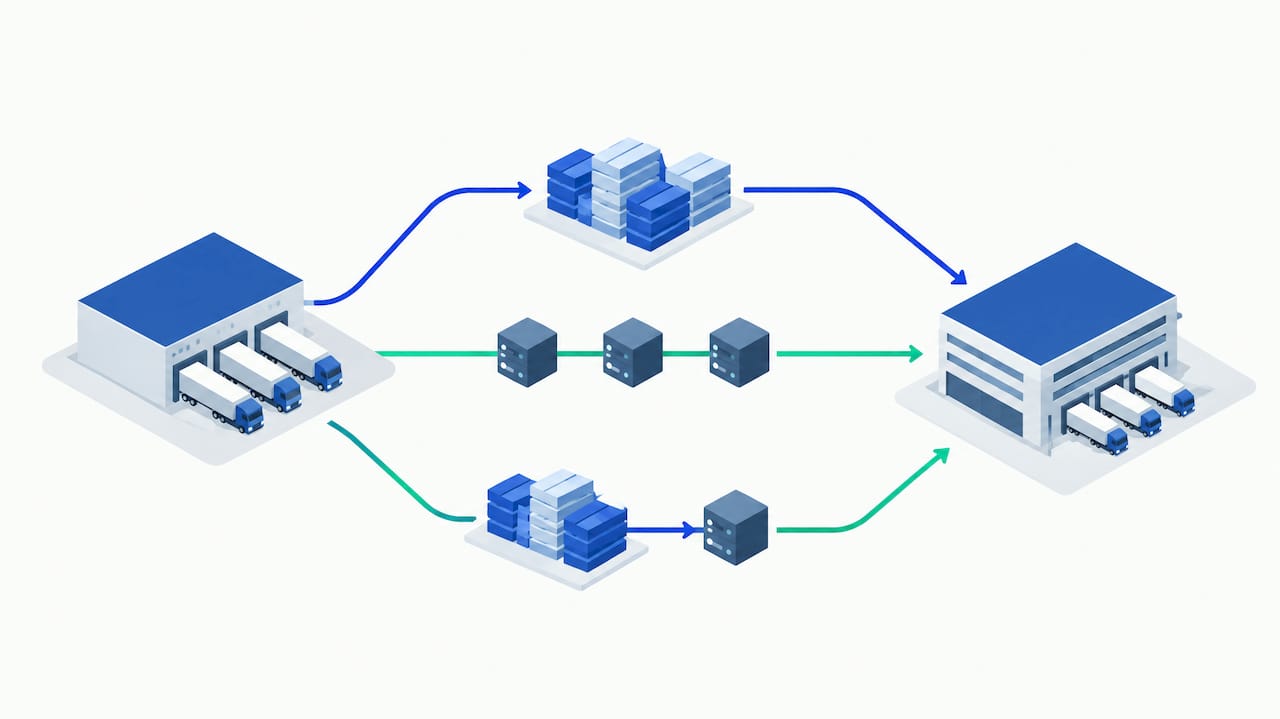
API-driven integrations update near real time, which matters when spot rates move daily or when a customer dashboard needs current transit status. The tradeoff is more integration work upfront and more monitoring once live.
Hybrid patterns are increasingly the practical answer: batch EDI for contract rates, APIs for spot pricing and tracking events, all normalized through a middleware layer that maps everything to canonical identifiers before it reaches the TMS.
- EDI suits predictable, high-volume, low-urgency data like quarterly rate contracts.
- APIs suit volatile, time-sensitive data like spot rates and shipment status.
- A canonical middleware layer prevents the same carrier or location from existing under three different IDs across systems.
Pro Tip: Before go-live, run a sandbox import of a carrier’s full rate file and manually verify a sample of calculated charges against the carrier’s published tariff.
4. Mapping Data Flows Between ERP, TMS, and Carrier Systems
A realistic data flow starts at the ERP, which holds financial and customer records, moves through a master-data hub that normalizes and deduplicates, then reaches the TMS, which pushes relevant subsets out to carriers and marketplaces. The direction of that movement depends on what’s changing.
Push models work for scheduled rate refreshes, where the TMS sends updated tables to carriers on a fixed cadence as described in seven schedule fields that make logistics TSAs exit faster. Pull models and event-driven updates work better for status changes, where a carrier’s system notifies the TMS the moment a shipment clears customs or departs a port.
- Canonical IDs keep a single carrier or location from fragmenting into duplicate records across ERP, TMS, and WMS.
- Versioning lets you roll back a bad rate table import without losing the prior valid version.
- Separating transactional data (a specific shipment’s charges) from operational master data (the rate table itself) keeps one bad shipment from corrupting the reference data everyone else relies on.
5. Building a Governance Framework That Keeps Data Clean
Ownership has to be explicit, or master data drifts within months. A practical RACI assigns a single owner per domain: operations typically owns location and carrier masters, finance owns rate tables and calculation sheets, and a data steward owns the cross-domain mapping that keeps everything consistent.
- Automate address verification and carrier certification checks at the point of entry, not after a shipment has already booked.
- Flag rate records nearing their validity expiration at least two weeks ahead, so renewals happen before a gap opens.
- Run a manual audit on a rotating sample of records each quarter, focused on the domains with the highest dispute rates.
- Route any exception (a rate mismatch, a missing certification) into a queue with a named owner and a resolution deadline.
A 2024 study in MDPI found that poor master data increases process times and hinders automation adoption, which means governance gaps don’t just cause billing errors, they slow down every automated workflow built on top of that data. Track completeness, error rate, and invoice dispute frequency as your core KPIs, and review all three together, since a low error rate with a high dispute frequency usually points to a gap your checks aren’t catching.
6. A Step-by-Step Approach to Cleaning Up Master Data in Your TMS
Fixing freight master data is a sequencing problem more than a technical one.
- Inventory every master table currently in use across ERP, TMS, and any spreadsheets filling gaps, and flag duplicates.
- Design canonical mappings and standardize unit conversions, particularly NLQ, loading meters, and pallet counts, before importing anything.
- Build templates for freight agreements and rate imports, then run them against a sandbox environment with real historical shipments.
- Compare sandbox-calculated charges against actual invoices from the same period to catch mapping errors before go-live.
- Set reconciliation rules that flag any post-go-live charge variance above a defined threshold for manual review.
Pro Tip: Keep your sandbox environment live for at least one full billing cycle after go-live, so you can compare calculated charges against real invoices before fully retiring the old process.
7. What Bad Master Data Actually Costs You
The failure modes are familiar to anyone who has chased down a billing dispute: duplicate carrier records, expired rate tables still in use, mismatched unit measures between ocean and road modes, and location codes that drift from the carrier’s own system.
A quick audit method works well here: pull a sample of recent shipments, recalculate their charges manually against the correct rate tables, and compare against what the TMS actually billed.
- Duplicate partner records split billing history and make dispute resolution slower.
- Expired rate tables left active generate charges that don’t match contracts.
- Unit mismatches between NLQ and loading meters produce under- or over-billing on mixed-mode shipments.
Research on product master data quality suggests that a small audit sample, such as 200 shipments, can reveal the dominant error categories and estimate the likely annual cost of corrections across a larger fleet. Prioritize fixes with the highest dispute frequency first, then tackle the structural cleanup that prevents recurrence.
8. How FreightSuite Supports Accurate Freight Master Data
The TMS builds rate management, charge calculation, and location and partner masters natively into the system, which maps directly onto the checklist above rather than requiring separate add-ons. AI-driven validation checks flag rate and location mismatches before they reach an invoice, addressing the exact failure modes that drive disputes.
- The system keeps agreements, calculation sheets, and tables in one governed system instead of scattered spreadsheets.
- Automation reduces the manual reconciliation work described in the governance section.
- Agent orchestration applies validation checks across shipments as they move, not after billing.
Evaluate FreightSuite for Your Freight Master Data Needs
If the gaps described above sound familiar, FreightSuite gives forwarders a way to run rate management, charge calculation, and master-data governance inside one system instead of stitching together spreadsheets and legacy modules.

For teams handling ocean freight specifically, the Ocean Freight TMS & Automation page details how rate tables and location masters apply to container and vessel scheduling. You can review the core platform and request a demo at FreightSuite.
FAQ
Where can I find freight rate data?
Freight rate data comes from carrier contracts, freight agreements loaded into your TMS, and market indices like spot-rate benchmarks published by industry data providers. Most forwarders maintain their own negotiated rate tables inside the TMS rather than relying solely on public indices.
What is freight in SAP?
In SAP, freight refers to the transportation and charge calculation processes managed through SAP Transportation Management, where SAP’s documentation defines master-data objects like the commodity master, partner profiles, and service product catalog. These objects feed the charge calculation engine that determines freight costs.
What are the four types of freight?
Freight is commonly grouped by mode: ocean, air, road, and rail, each with its own master-data requirements for rates, documentation, and transit scheduling. Some operations also distinguish by load type, such as full truckload versus less than truckload within road freight.
What is logistics data?
Logistics data covers the transactional and reference information that moves goods, including shipment records, transportation master data defining carriers and lanes, location details, and billing data. Supply chain master data specifically refers to the reference records, carriers, locations, commodities, that transactional shipment data depends on.

