Ocean Freight Tracking Workflow: A Logistics Pro's Guide
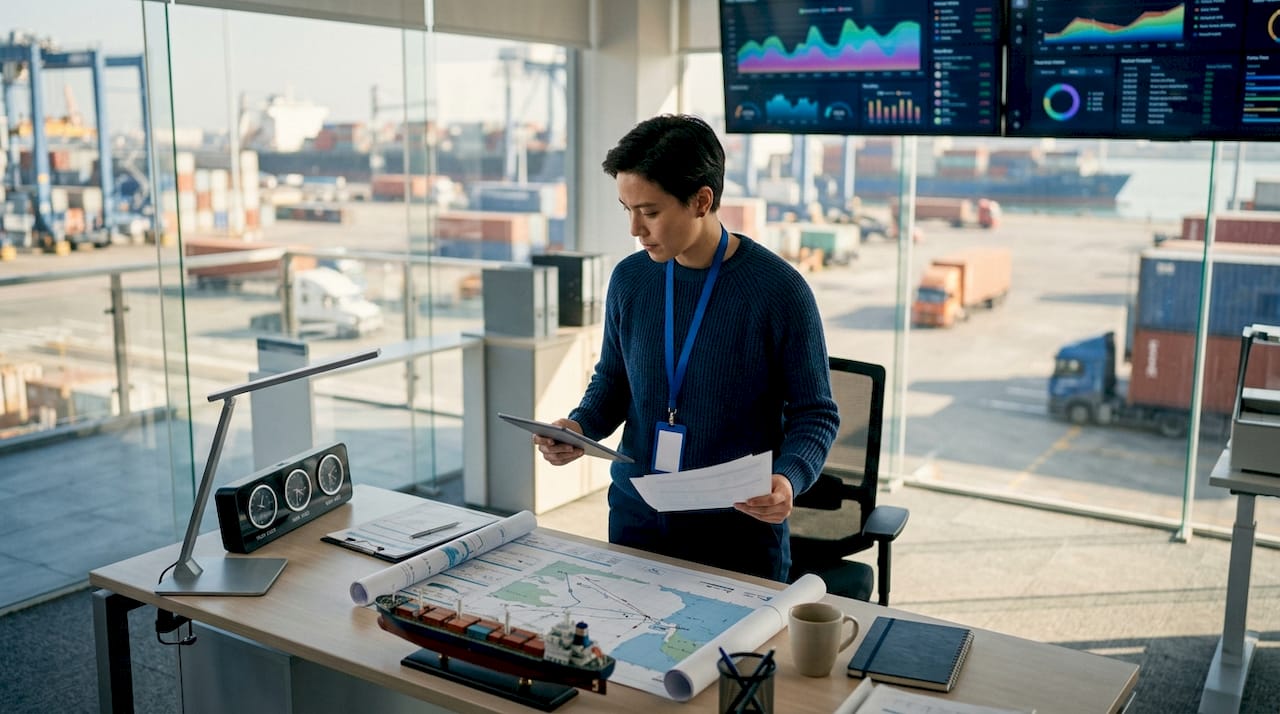
An ocean freight tracking workflow is a coordinated system that pulls data from multiple sources, normalizes shipment events, dynamically recalculates ETAs, and routes exceptions to the right people automatically. The industry term for this practice is shipment visibility management, and it sits at the core of every high-performing freight forwarding operation. Standards like DCSA Track & Trace and ISO 6346 container identification give logistics teams a shared language for building these systems. Without that shared language, even the best technology produces noise instead of insight. This guide gives you the architecture to build a workflow that actually works.
What prerequisites and tools does an ocean freight tracking workflow require?
A reliable ocean freight tracking workflow starts with four data sources: carrier APIs, Automatic Identification System (AIS) vessel feeds, port and terminal event feeds, and EDI messages from carriers and customs. Each source covers a different part of the voyage. Carrier APIs report milestone events like gate-in and vessel departure. AIS feeds show real-time vessel position. Terminal EDI feeds confirm physical events at the port level.

AIS-only tracking is insufficient during open-ocean passages because satellite coverage gaps create blind spots that can last hours. Enterprise-grade workflows combine AIS with carrier API pushes and terminal EDI event feeds to maintain complete visibility across the full voyage arc.
Container identification follows the ISO 6346 standard, which assigns every container a unique four-letter owner code plus a six-digit serial number and a check digit. That identifier is the key that links events across all your data sources. Without consistent use of ISO 6346, event matching across systems breaks down and you get duplicate or orphaned records.
The technology layer needs three components to function: an API orchestration layer that calls carrier and AIS endpoints on schedule, an integration platform that connects your tracking data to your TMS or ERP, and a normalization engine that maps raw carrier codes to your internal event vocabulary. Dynamic polling strategies adjust call frequency based on voyage phase, polling carrier APIs every 8 hours mid-ocean and increasing to every 2 hours within 48 hours of port arrival. That frequency shift concentrates system resources where they matter most.
How to implement event normalization and standardized milestone tracking
Carrier-specific event codes are the single biggest source of confusion in container tracking. One carrier reports a gate-out event as another use. A third sends a free-text description. Without normalization, your system cannot reliably detect exceptions because it cannot tell whether two events describe the same milestone.
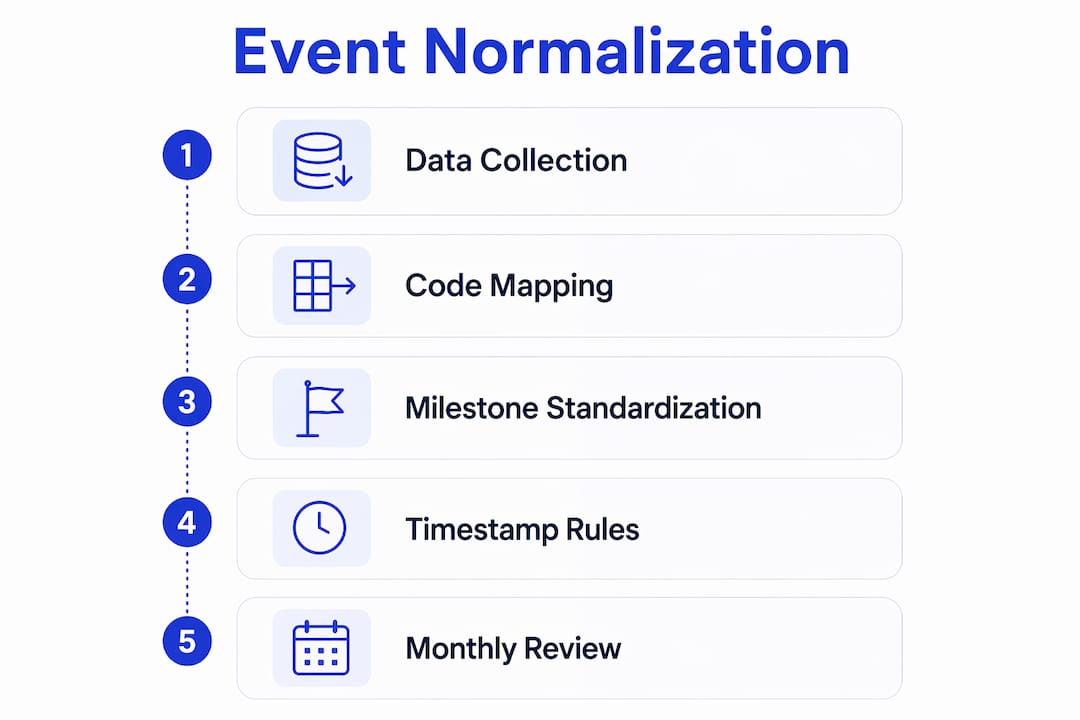
Normalizing carrier events into a unified shipment event vocabulary eliminates that data noise and makes exception detection reliable. The process maps every raw carrier code to a standard internal milestone. Your internal model then drives all downstream logic, from ETA calculations to exception alerts to customer notifications.
A practical standard event model covers these milestones in sequence:
Timestamp rules are as important as the event definitions themselves. Defining a clear event model with official milestones and timestamp rules turns fragmented tracking data into a functional visibility system. Each event record should carry the event type, the source system, the raw carrier code, the normalized milestone label, and a UTC timestamp. Sequencing validation then rejects any event that arrives out of logical order, such as a “delivered” event before a “departed” event.
Pro Tip: Build a mapping table that logs every raw carrier code alongside its normalized equivalent. Review it monthly. Carriers change their event codes without notice, and a stale mapping table is the fastest way to lose exception coverage on active shipments.
What are the best practices for real-time ETA forecasting and exception handling?
Dynamic ETA logic is the engine that makes a tracking workflow operationally useful. A static ETA pulled from the booking confirmation becomes wrong the moment a vessel slows down, diverts, or waits at anchor. A dynamic ETA recalculates continuously using vessel position from AIS, terminal congestion signals, and carrier-reported delays.
The recalculation logic should follow these steps in order:
Exception alerts need structure to be useful. A flat list of alerts with no priority ranking creates the same problem as no alerts at all. Separate your exception queue into tiers: critical exceptions like customs holds and vessel diversions go to a dedicated escalation channel, while informational updates like minor ETA shifts route to a lower-priority queue. Combining exception queues, milestone timelines, ETA deviation indicators, and communication history into a single dispatcher workspace gives your team the context to act quickly without switching between systems.
Pro Tip: Set your ETA deviation threshold at the shipment level, not globally. A 4-hour shift matters far more for a time-sensitive pharmaceutical shipment than for a bulk commodity. Configurable thresholds per cargo type prevent both under-alerting and alert fatigue.
How to automate shipment visibility workflows and integrate tracking data into operations
Automation converts tracking data from a reporting function into an operational one. The shift happens when your tracking system stops displaying information and starts triggering actions. The real value lies not in feed frequency alone but in how tracking platforms integrate data with TMS and ERP workflows to trigger automated tasks and reduce manual effort.
A fully integrated ocean freight TMS connects carrier milestones, AIS data, and terminal feeds into a single operational layer. When a vessel departs, the system automatically notifies the customs broker. When a customs hold appears, it opens a task for the operations team and starts an SLA timer. When delivery is confirmed, it triggers the invoice generation process. Each of those actions happens without a human manually checking a tracking portal.
Key workflow features that make this work in practice:
“The tracking platforms that deliver the most operational value are the ones where the data disappears into the workflow. Your team should be responding to tasks, not reading status screens.” FreightSuite Operations Perspective
Automating container tracking eliminates an average of 15 manual status check-ins per container per voyage. That reduction compounds across a high-volume operation. A forwarder handling 500 active containers at any time removes 7,500 manual check-ins from their team’s workload every voyage cycle.
What common challenges occur in ocean freight tracking workflows and how to troubleshoot them?
Even well-designed workflows encounter predictable failure points. Knowing where they occur lets you build defenses before they affect operations.
Pro Tip: Schedule a quarterly audit of your event normalization mapping and your exception rules. Carrier code changes, new trade lanes, and new carrier partnerships all create gaps that accumulate silently until a shipment falls through the cracks.
Key Takeaways
An effective ocean freight tracking workflow requires multi-source data integration, standardized event normalization, dynamic ETA logic, and automated exception routing to deliver operational value beyond basic cargo visibility.
The insight most tracking implementations miss
After working with freight forwarding operations across multiple trade lanes, the pattern I see most often is this: teams invest heavily in data acquisition and almost nothing in workflow integration. They have excellent visibility into where their containers are. They have almost no system for deciding what to do about it.
The normalization step is where this gap becomes most visible. When every carrier speaks a different event language, your operations team spends its cognitive energy translating status codes instead of managing exceptions. A unified event vocabulary is not a technical nicety. It is the foundation that makes every downstream decision faster and more reliable.
The other underrated element is the exception dashboard. Most teams build one dashboard for everyone. The result is a screen that shows customs brokers vessel positions they cannot act on, and shows dispatchers customs codes they do not understand. The operations teams that perform best build role-specific views: dispatchers see ETA deviations and open tasks, customs teams see holds and document deadlines, and management sees SLA compliance rates. Each view surfaces only what that role can act on.
The deeper truth is that automation does not replace operational judgment. It creates the conditions for better judgment by removing the noise. When your team is not spending time on manual check-ins, they have the bandwidth to catch the exceptions that automation cannot yet classify. That balance between data-driven automation and human decision-making is where the real competitive advantage lives.
FreightSuite’s approach to ocean freight visibility
Freightsuite is built for freight forwarders who need tracking data to drive operations, not just inform them. Its ocean freight TMS capabilities include native multi-source event normalization, dynamic ETA forecasting, and exception routing that connects directly to your operational workflow. Assignment rules, SLA timers, and team routing are built into the platform, not bolted on as integrations.

Freightsuite also supports air and road freight within the same TMS, so your visibility workflow covers every mode without switching platforms. If you are ready to see how agentic AI and workflow automation can reduce manual check-ins across your active container portfolio, book a demo with the Freightsuite team and walk through a live workflow build.
FAQ
What is an ocean freight tracking workflow?
An ocean freight tracking workflow is a system that collects shipment events from carrier APIs, AIS feeds, and terminal EDI sources, normalizes them into standard milestones, recalculates ETAs dynamically, and routes exceptions to the right team automatically.
How does event normalization work in container tracking?
Event normalization maps carrier-specific event codes like or to a single internal milestone vocabulary, eliminating data noise and making exception detection consistent across all carriers and trade lanes.
How often should a tracking system poll carrier APIs?
Dynamic polling intervals are the standard practice: poll every 8 hours during open-ocean passages and increase to every 2 hours within 48 hours of port arrival to maintain ETA accuracy when it matters most.
What is the DCSA Track & Trace standard?
DCSA Track & Trace is an industry standard that defines consistent shipment event codes and API specifications, giving freight forwarders and carriers a shared framework for exchanging container milestone data.
How much manual work does tracking automation eliminate?
Automating container tracking eliminates an average of 15 manual status check-ins per container per voyage, which compounds significantly across high-volume operations handling hundreds of active shipments simultaneously.

