Enterprise TMS Migration: A Phased Cutover Framework
The right model for enterprise TMS migration is a phased migration with a parallel run, executed through lane-by-lane cutover rather than a single flip-the-switch weekend. Commission a diagnostic now, and freeze your external platform contract and API contract shapes before you sign anything new. Legacy vendor lock-in gets worse the longer integration surfaces stay undocumented.
The evidence for this approach is consistent across the industry:
- Enterprise migrations typically run parallel operations for as long as it takes to prove the new platform out lane by lane.
- Safe cutovers never migrate in-flight shipments; new bookings move to the new system on a hard date while legacy freight rides out to completion.
- FreightSuite’s rate management, tracking, and finance modules are built to receive a phased handoff without forcing a disruptive all-at-once switch.
Key Takeaways
Enterprise TMS migration succeeds when a phased, parallel-run cutover protects in-flight shipments while an ownership registry and daily reconciliation catch problems before they compound.
| Point | Details |
|---|---|
| Use a phased model | Move through assessment, planning, deployment, and optimization, each ending in a reviewable artifact. |
| Never migrate active shipments | Cut new bookings over on a hard date; let in-transit freight finish on the legacy system. |
| Build an ownership registry | Tag every shipment by system owner so your routing layer forwards webhooks correctly. |
| Reconcile daily during cutover | Weekly checks let errors compound; daily reconciliation catches them within 24 hours. |
| Budget realistic timelines | Enterprise migrations typically run several months, sometimes longer with complex integrations. |
| FreightSuite fits this framework | Its rate management, tracking, and AI orchestration modules are built to receive phased, lane-by-lane migration. |
Table of Contents
- What Is the Phased Framework for Enterprise TMS Migration?
- What Should You Assess Before You Migrate?
- How Do You Migrate Data and Integrations Without Losing Shipments?
- How Should You Build the Cutover Playbook?
- How Do You Test and Validate an Enterprise TMS Migration?
- Who Should Govern the Migration and Manage Risk?
- How Long Does an Enterprise TMS Migration Take?
- How Does FreightSuite Support This Migration Model?
- Ready to Plan Your Migration?
- Sources
- FAQ
What Is the Phased Framework for Enterprise TMS Migration?
Four phases carry the weight of a serious enterprise TMS migration: assessment, planning, deployment, and optimization. Each phase produces a specific artifact your steering committee can review before releasing budget for the next one, which is what separates a controlled migration from a scramble.
Assessment ends with a diagnostic report: an inventory of every integration, data feed, and workflow currently running through your legacy TMS, tagged by business criticality. Planning ends with a cutover plan, the document that names who owns each carrier relationship, which lanes go first, and what the rollback trigger looks like if something breaks. Deployment ends with pilot results, real transaction data from a limited set of lanes running on the new platform. Optimization ends with a KPI baseline, the numbers that prove the new system is performing at or above the old one.
Sequencing the work this way lowers risk because you are never betting the whole freight desk on one migration event. A four-phase playbook built around assessment, planning, deployment, and optimization also creates early wins. A single pilot lane running cleanly on the new TMS after 30 days does more to build internal confidence than any slide deck.
Choosing the right migration model matters just as much as the phase structure:
- Lift-and-shift moves existing workflows onto new infrastructure with minimal redesign. Fastest option, but it carries legacy inefficiencies forward.
- Replatform keeps your core processes but rebuilds the technical foundation, often the right call when the old TMS can’t support modern APIs.
- Rearchitect redesigns workflows around the new platform’s native strengths, including AI agent orchestration. This takes longer but captures the most long-term value.
- Replace retires the legacy system entirely and rebuilds from scratch, appropriate when the old TMS is so brittle that partial migration risks more than a clean break.
Strategic functions (customer-facing quoting, rate negotiation, exception handling) usually justify rearchitecting. Operational functions (basic tracking, document storage) often tolerate a straight lift-and-shift.
What Should You Assess Before You Migrate?
Scope gets defined in the assessment phase, and getting it wrong here is the single most expensive mistake in enterprise TMS migration. Start by separating strategic functions, the ones that touch revenue and customer experience, from operational functions that just need to keep running.
Your assessment checklist should cover:
- Every strategic function currently living in the legacy TMS (rate management, credit control, customer dashboards) versus operational functions that could tolerate downtime.
- Mandatory data exports: customer master records, carrier profiles, open loads, accounts receivable balances, and every associated document (BOLs, PODs, commercial invoices).
- The full integration surface: EDI connections, REST APIs, webhook subscriptions, ERP links, and accounting software connections that currently depend on your legacy platform.
- Which migration model (lift-and-shift, replatform, rearchitect, replace) fits each function, based on how much value that function creates versus how much risk touching it introduces.
Export formats matter more than most teams expect. Structured data (customers, rates, carrier records) should move as CSV or database dumps you can validate row by row. Document-heavy records like bills of lading and proofs of delivery should move as original PDFs, not re-rendered images, so nothing gets lost in translation. Data readiness is the biggest driver of migration speed; clean exports move faster than clean code.
Pro Tip: Run your data export as a dry run 60 days before your planned cutover date. You will find broken customer records and stale carrier contacts you didn’t know existed, and it’s far cheaper to fix them now than during a live cutover window.
How Do You Migrate Data and Integrations Without Losing Shipments?
Data migration in freight forwarding software is unusually hard because the data is high-cardinality and time-sensitive. A single shipment touches customer records, carrier bookings, rate tables, customs documents, and accounting entries, all of which need to land correctly in the new system or reconciliation becomes a nightmare.
Your essential data sets and formats:
- Customer and carrier master records as structured CSV exports, validated against your CRM or accounting system before import.
- Open loads and in-transit shipments exported with full status history, not just current state.
- A/R balances exported with invoice-level detail, matched against your accounting software connection.
- Original PDF documents for every BOL and POD, indexed by shipment ID so they attach correctly on the new platform.
Build a golden-record strategy before you touch a single API. Decide which system is the source of truth for customer data, which is the source of truth for rates, and which is the source of truth for carrier profiles, then map every field accordingly. Guessing at mappings mid-migration is how duplicate customer records and orphaned rate entries end up in production.
A routing layer, sometimes called a shim, sits between your carriers and both systems during the transition. Rather than asking every carrier to update webhook URLs on your cutover date, the routing layer receives all webhook traffic and forwards it based on shipment ownership. This is a low-risk architectural pattern precisely because it avoids coordinating URL changes across dozens or hundreds of carrier relationships at once.
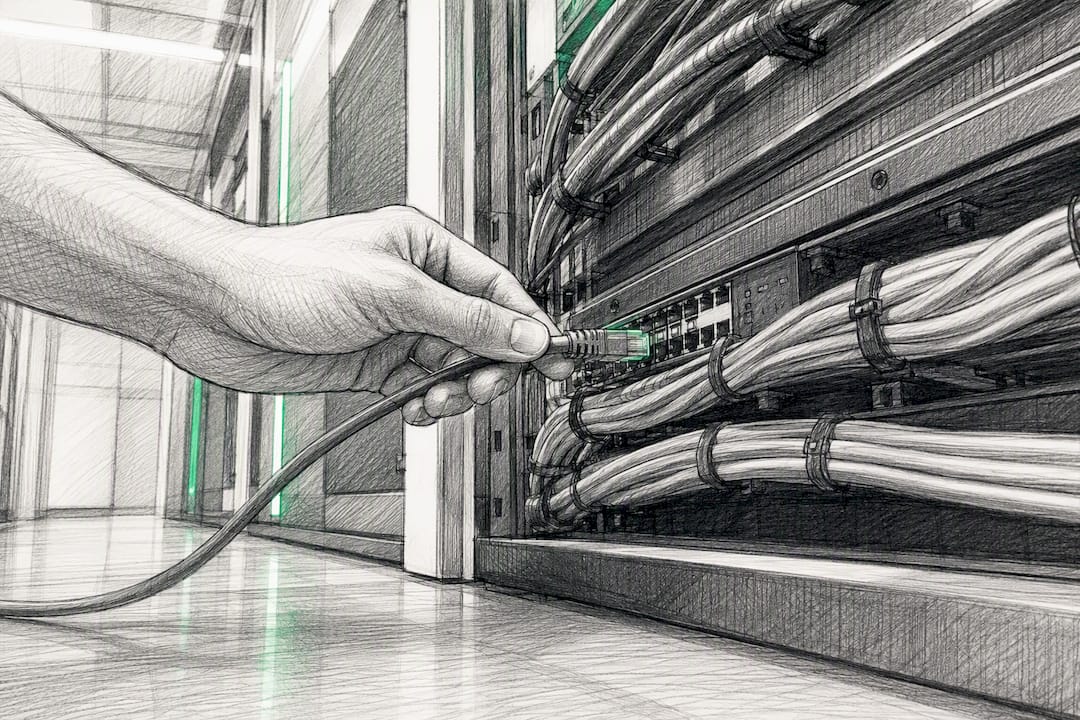
Reconciliation cadence during this window should be daily, not weekly. Daily reconciliation during cutover and stabilization catches a mismatched invoice or a dropped webhook within 24 hours instead of letting it compound for a week. Assign a named owner for reconciliation, typically someone from finance operations working alongside the migration lead, and give them daily standing time on the calendar for the entire parallel run.
EDI connections deserve special attention here. Carriers running EDI 204/990/214 transaction sets need advance notice before any endpoint changes, and the Worldwide Express guide to EDI tracking is a useful reference for what adoption and testing benchmarks look like across carrier partners.
How Should You Build the Cutover Playbook?
The cutover itself is where enterprise TMS migration projects succeed or fail, and the operating principle is simple to state and hard to execute: you do not migrate in-flight shipments. New bookings move to the new system on a hard date. Everything already in motion rides out on the old system until it reaches terminal state, meaning delivered, invoiced, and closed.
This works because it eliminates the single riskiest failure mode in any migration: a shipment caught mid-transit with half its data on one system and half on another.
Building the playbook takes four concrete steps:
- Build an ownership registry. Every shipment, active or historical, gets tagged with which system owns it: legacy or new. This registry becomes the single source of truth that your routing layer references for every incoming webhook or API call.
- Populate historical ownership. Before cutover day, backfill the registry with every open shipment currently in the legacy system, so nothing arrives on cutover morning without an owner assigned.
- Implement the shipment router. Configure the routing layer to check the ownership registry on every inbound event and forward it to the correct system, logging a correlation ID on each transaction so support teams can trace any discrepancy back to its source.
- Hard-error the old booking API. On cutover date, any new booking request submitted to the legacy system’s API should return an error rather than silently processing, forcing all new demand onto the new platform immediately.
| Cutover Element | Rule |
|---|---|
| In-flight shipments | Remain on legacy system until delivered, invoiced, and closed |
| New bookings | Route exclusively to new system starting on the hard cutover date |
| Webhook traffic | Routed by ownership registry, not by carrier-side URL changes |
| Long-tail shipments | Force-closed under a defined policy once past a set threshold |
Decommissioning the legacy platform depends on how you handle the long tail: the handful of shipments that refuse to close cleanly because of a disputed invoice or a lost document. A force-close policy, for example writing off shipments 90 days past expected delivery under defined finance sign-off, prevents your legacy system from running indefinitely just to service a shrinking handful of stragglers. Without that policy, teams end up paying for two systems far longer than the migration plan ever intended.
How Do You Test and Validate an Enterprise TMS Migration?
Pilot design determines whether your first cutover builds confidence or destroys it. Pick two or three lanes that are representative of your volume and complexity but not your highest-stakes accounts, enough transaction volume to surface real issues, not so much that a failure becomes a crisis.
Core test cases to run before any lane goes live:
- Booking creation and confirmation across your top carrier connections.
- Tender acceptance and rejection workflows, including exception handling when a carrier declines.
- Webhook delivery and correct routing through the ownership registry.
- Invoice generation and matching against carrier rate confirmations.
- POD ingestion, confirming documents attach to the correct shipment record.
- EDI transaction set exchange and, where relevant, ELD integration for real-time location data.
Pro Tip: Keep a dedicated Slack or Teams channel open for the first 30 days post-cutover, staffed by someone from ops and someone from IT at all times. Most stabilization issues get caught in the first two weeks, and a fast escalation path beats a ticket queue every time.
The 30-90 day phased framework that many managed replacements follow builds this stabilization window in by design rather than treating it as an afterthought.
Who Should Govern the Migration and Manage Risk?
Program governance needs a steering committee with real authority: typically the COO or head of operations, the CTO or IT lead, and a finance representative who signs off on cutover dates and budget releases. Below that sits a migration lead who owns the RACI for day-to-day execution, and a dedicated reconciliation owner from finance operations.
Risk controls that matter most:
- Take an archival snapshot of the legacy system’s full database before cutover, giving you a rollback point if something goes wrong in the first 72 hours.
- Run quiet-period webhook checks, brief windows where you verify no traffic is silently failing before declaring a lane fully migrated.
- Define a rollback trigger in advance (a specific reconciliation failure rate, for instance) rather than deciding in the moment under pressure.
- Track KPIs daily during migration: reconciliation match rate, invoice accuracy, on-time tender rate, and open exception count, each owned by a named person.
Migration failures are usually operational, not technical: carrier communication breakdowns, mismatched rate data, and dropped exception handoffs cause more damage than any API bug. Staff accordingly, and bring in external migration specialists when your internal team lacks bandwidth for the parallel-run period specifically, not for the whole project.
How Long Does an Enterprise TMS Migration Take?
Timeline expectations separate realistic programs from ones that blow their budget. A mid-market freight forwarder switching TMS platforms can often complete the process in a few months. Enterprise programs with deep integration surfaces and multiple regions typically run 9 to 18 months, and complex enterprise migrations factoring in multiple integrations and regional regulations can extend to two or three years.
Budget planning should account for three components:
- Internal labor: your migration lead, IT integration staff, and the reconciliation owner, typically the largest line item across a multi-month program.
- Vendor fees: implementation support, data migration services, and any managed migration partner you bring in for the parallel-run window.
- Parallel-run operating cost: running two systems simultaneously means paying for both, sometimes for months, which needs its own budget line rather than getting absorbed as a surprise.
Engage a managed migration partner when your internal IT team is already stretched thin on day-to-day operations, or when the number of carrier integrations exceeds what your team has bandwidth to test individually within your target window.
How Does FreightSuite Support This Migration Model?
FreightSuite is built to receive exactly the kind of phased, parallel-run migration this framework describes, rather than forcing an all-or-nothing switch. Rate management and dynamic FX tracking map directly to the golden-record strategy your data migration needs. Air and ocean tracking modules support lane-by-lane pilot rollouts without disrupting shipments still active on your legacy platform, and customs brokerage workflows carry forward the compliance detail enterprise forwarders can’t afford to lose mid-transit.
AI agent orchestration, built natively rather than bolted on, is where the optimization phase pays off: once your pilot lanes are stable, agentic workflows start automating exception handling and document processing that used to require manual intervention.
Ready reference points for planning conversations:
- Road freight capabilities for teams migrating truckload and LTL operations.
- Ocean freight capabilities for container tracking and long-tail shipment handling during cutover.
- Case studies and internal performance benchmarks specific to your fleet size and lane mix are available on request during a diagnostic call.
Ready to Plan Your Migration?
A migration built around parallel runs and lane-by-lane cutover only works if the platform on the receiving end can actually absorb that complexity without forcing you to redesign your operations from scratch. That is the specific gap FreightSuite is built to close: rate management, financial controls, and AI agent orchestration that plug into the phased framework above instead of demanding you rebuild your workflows around someone else’s assumptions.
A discovery and pilot engagement with FreightSuite typically starts with a short diagnostic call to map your current integration surface, followed by a scoped pilot on two or three lanes so your team can see reconciliation rates and KPI performance before committing to a full cutover date. Finance leaders evaluating the switch can review how FreightSuite supports finance teams during credit control and A/R migration specifically. Case study results from prior enterprise migrations are available on the FreightSuite case study page.
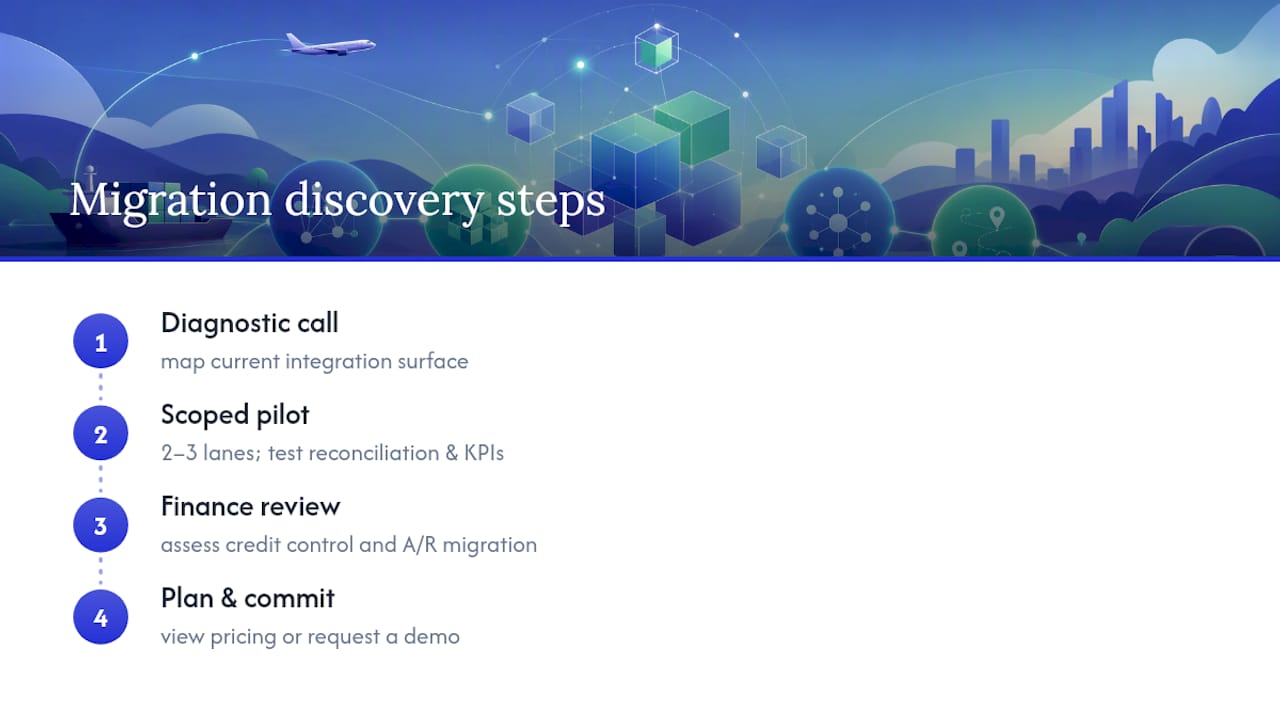
If you are ready to see costs and plan structures, check the FreightSuite pricing page for current plans, or start with a demo request through the FreightSuite homepage to walk through your specific lane mix and integration surface with a migration specialist.
Sources
- TMS Cutover Playbook: Switch Without Losing Shipments
- A CTO’s Guide to Migrating from a Legacy TMS to a Cloud-Native Architecture | VGD Technologies
- How to Replace Your TMS Without Disrupting Operations (2026 Guide) | Nuvocargo
FAQ
What Is the Best TMS Software for Shippers?
The best choice depends on shipment volume and complexity, but shippers running high-volume, multi-mode freight generally need a platform with native rate management, real-time tracking, and financial controls rather than a point solution. FreightSuite is built specifically for freight forwarders and logistics companies managing exactly this complexity.
What Does TMS Mean for Shipping?
TMS stands for transportation management system, software that handles rate management, carrier booking, shipment tracking, and financial reconciliation for freight moving by truck, ocean, or air.
What Are the Top TMS Systems?
Rankings vary by publication and shift as platforms add features, but enterprise forwarders should evaluate systems on integration depth, AI-native automation, multi-mode support, and total cost of ownership rather than relying on a generic top-ten list.
What Is TMS in FedEx?
FedEx and other large carriers use internal transportation management systems to plan routes, manage fleet capacity, and track shipments across their networks, a different use case from the multi-carrier TMS platforms freight forwarders use to manage bookings across many carriers.
How Long Does TMS Onboarding Typically Take?
Onboarding timelines depend on integration complexity, but enterprise TMS migration programs typically span 9 to 18 months, while a mid-market forwarder switching platforms can often complete onboarding in a few months using a phased, parallel-run approach.

